The Block Escape - Read the Arrows in 3D
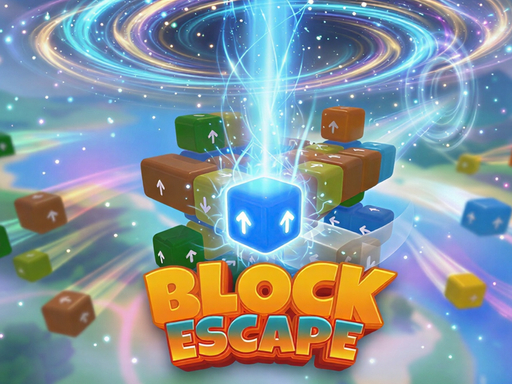
Turn a colorful 3D cluster to inspect its arrow-marked faces. Look for a clear route before sending a block outward.
How to play The Block Escape
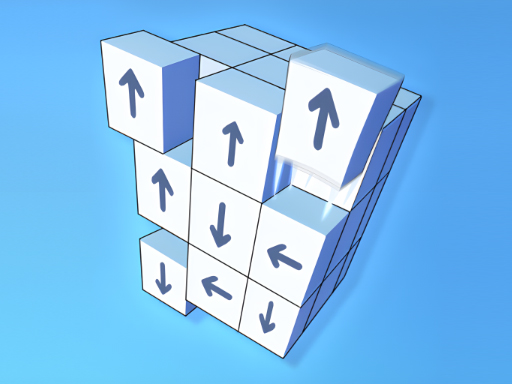
The Block Escape puts arrow-marked blocks in a three-dimensional cluster. Select a block to send it in the direction printed on it. According to the provider's instructions, it can leave only when that route is clear. Removing an exposed piece can open an exit for one farther inside the structure.
Click and drag across the puzzle to turn the camera. A block that looks buried from the front may have an open route on the far side. Separate those two actions deliberately: a short selection chooses a piece, while a drag changes your view.
The game opens with its own menu. Choose Play for the ordinary puzzle, then follow any tutorial shown inside the frame. Provider advertising can appear during this flow. The page does not remove or replace those ads.
Inspect the arrow in three dimensions
Start with a block on the outside of the cluster. Read its arrow, then trace where the whole block would travel. The empty space beside one corner is not enough if another block still occupies part of that path.
Now turn the camera far enough to check behind the candidate. The screen's left and right change as the camera turns; the arrow remains attached to the same face of the block. Use the markings and the surrounding pieces together rather than memorizing a screen position.
Imagine two neighboring blocks whose arrows point outward in different directions. If one route crosses a third piece, inspect that third piece before selecting the blocked candidate. The useful move may be on another face of the structure entirely. This is a reasoning example, not a solution tied to a particular level number.
Make room without losing track of the cluster
After a removal, look into the gap it leaves. A newly exposed face may give you information that was hidden a moment earlier. Recheck that area before rotating away and searching the whole puzzle again.
When several moves seem possible, pick one you can explain: which direction will this block move, what occupies the route, and what will become visible afterward? That small pause is more useful than clicking several pieces and trying to reconstruct what changed.
Keep the counters and help labels in view. The opening interface includes undo and hint controls, but their displayed allowances and any reward prompts belong to the provider. Read the current prompt before using a limited tool. This page does not promise unlimited hints or that every failed action is free.
Use the page controls when the view is cramped
Expand game gives the frame more room for rotating the structure. Close returns to this article. The page's Restart game control reloads the external game; it is separate from the game's own level-restart button and is not a one-move undo.
If an overlay covers the board, check whether it is a game menu, tutorial, or provider ad before treating it as a blocked move. Wait for the provider's normal close or skip control when one is offered. Persistent loading trouble is covered in the browser game help guide.
Find another directional puzzle
This release is listed by Soda Game on GameMonetize; its internal title can appear as Tap Away 3D. Match a walkthrough to the visible board and interface before following a sequence intended for another similarly named game.
For another rotating structure, try Arrows disappear. For a flat board with a different movement constraint, UNRAVEL uses sliding arrow blocks and a move budget. The arrow games collection brings the directional games together.
Questions about The Block Escape
Why should I rotate the puzzle?
A front view can hide blocks and exits on another face. Turning the cluster helps you inspect the whole route rather than assuming that a visible gap means a block can leave.
Why does the game show Tap Away 3D?
The GameMonetize listing is titled The Block Escape, while the loaded release uses Tap Away 3D in its interface. This page identifies both so you can match the embedded game to the source.
Are hints and undo unlimited?
The opening interface shows allowances for these controls. Read the current label and any advertising prompt before using one; this guide does not claim unlimited help or verify every reward flow.
Does Restart game retry only this level?
The page control reloads the external frame. The game has its own restart control for its puzzle flow. Saved progress and restoration after a frame reload depend on the provider.